Introduction
Draftable Desktop 26.2.0 PC Software is a professional tool designed to help individuals and businesses compare and review documents quickly and accurately. Developed by Draftable, Draftable Desktop allows users to identify differences between two versions of a document, ensuring accurate edits, version control, and collaborative workflow.
In today’s fast-paced business environment, documents often undergo multiple revisions, and tracking changes manually can be tedious, time-consuming, and prone to errors. Draftable Desktop 26.2.0 provides an intuitive, automated solution for comparing PDFs, Word files, and other document formats. This version focuses on performance improvements, better visual comparison tools, and enhanced support for large files and complex document layouts.
Overview
Draftable Desktop is designed to streamline document comparison and improve accuracy in document review processes. It is widely used by legal professionals, editors, project managers, and businesses that need to track changes efficiently.
Key highlights of version 26.2.0 include:
-
Side-by-side document comparison with highlighted differences
-
Supports multiple file formats including PDF, DOCX, and PPTX
-
Comparison of large and complex documents without performance loss
-
Easy export of comparison results for review or archiving
-
User-friendly interface with clear visualization of changes
Draftable Desktop caters to professionals in legal, corporate, academic, and publishing sectors who require precise document comparison and collaborative workflow tools. Its intuitive interface allows users to identify textual and structural changes in seconds, reducing errors and saving valuable time.
Description
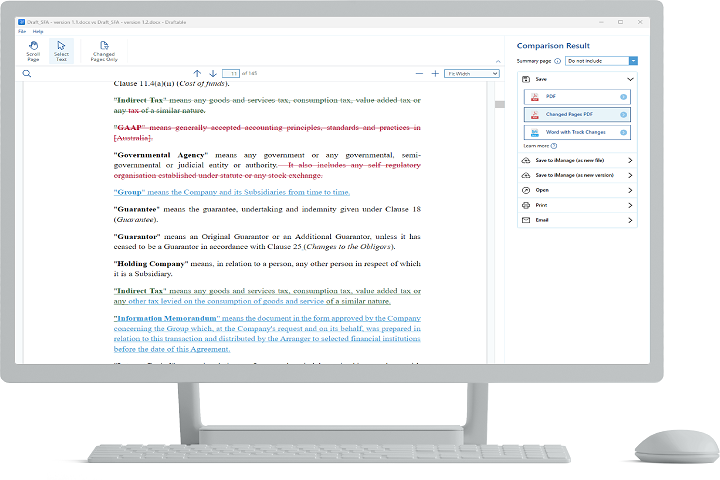
Draftable Desktop 26.2.0 is a robust document comparison tool that allows users to quickly identify differences between two versions of a document. By highlighting additions, deletions, and formatting changes, it ensures users can make informed decisions during editing and review processes.
User Interface
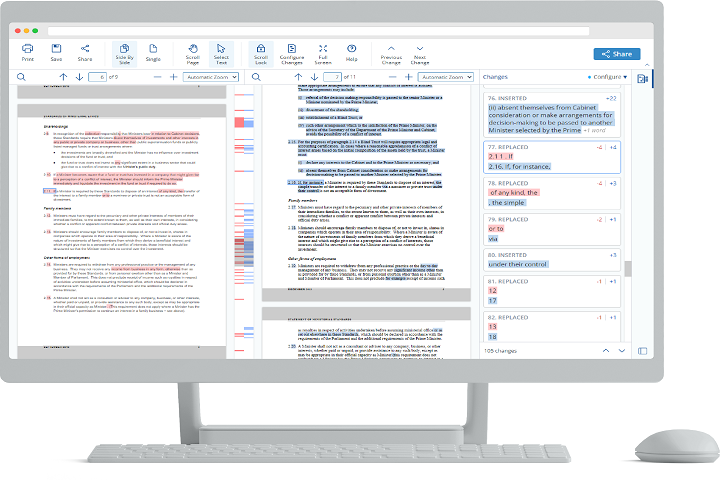
The software features a clean and intuitive interface with a dual-pane view. Each pane displays one version of the document, while differences are automatically highlighted using color-coded markers. Users can navigate through changes sequentially, jump between differences, and focus on relevant modifications.
Comparison Engine
Draftable Desktop’s powerful comparison engine detects differences in text, tables, formatting, and layout. It accurately highlights changes even in large or complex documents, making it ideal for contracts, reports, manuals, and other professional files.
Supported File Formats
The software supports widely used document formats such as:
-
PDF – Perfect for contracts, reports, and scanned documents
-
Microsoft Word (DOCX) – Common for business, academic, and professional documents
-
PowerPoint (PPTX) – Compare slides for presentations
This versatility ensures users can handle multiple types of files without needing separate tools.
Export and Reporting
Draftable Desktop allows exporting comparison results to PDF, enabling easy sharing with colleagues or clients. The export highlights all changes in a clear, professional layout suitable for legal review, editorial workflows, or project documentation.
Collaboration and Productivity
By reducing the time spent manually checking documents, Draftable Desktop enhances productivity. Teams can review changes collaboratively, verify updates, and ensure all revisions are correctly implemented.
Performance and Security
Version 26.2.0 has been optimized for performance, handling large documents without lag. All comparisons are processed locally on the user’s PC, ensuring data privacy and compliance with organizational security standards.
Key Features
Side-by-Side Comparison
Compare two documents in parallel, with changes highlighted for easy identification.
Text, Table, and Formatting Changes Detection
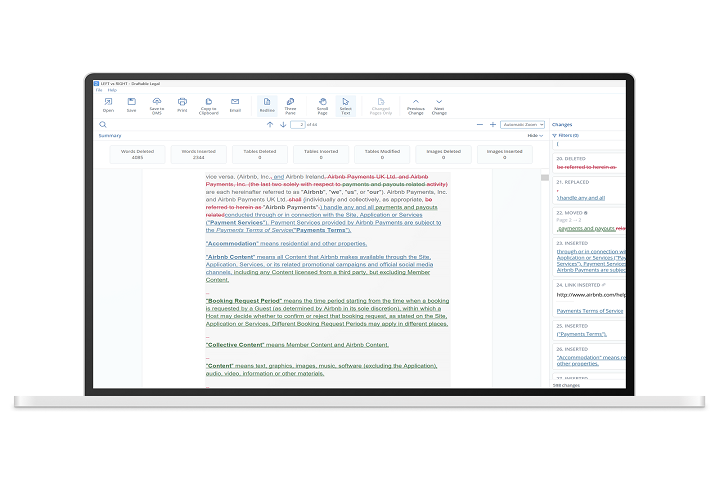
Automatically identifies additions, deletions, and formatting modifications across all supported file types.
Multi-Format Support
Compare PDF, DOCX, and PPTX documents without compatibility issues.
Large Document Handling
Optimized to process large or complex documents quickly and accurately.
Export and Share Comparisons
Export comparison results to PDF for archiving or sharing with colleagues, clients, or legal teams.
Navigation Tools
Easily jump between differences, filter changes, and focus on specific modifications.
User-Friendly Interface
Clean, intuitive interface designed to streamline the review and comparison workflow.
Secure Local Processing
All document comparisons occur on the user’s computer, ensuring maximum privacy and compliance.
Cross-Platform Workflow Integration
Integrates seamlessly into professional workflows and can complement other document management and review tools.
Performance Enhancements
Version 26.2.0 introduces improved rendering speed, reduced memory usage, and better handling of complex file structures.
How to Install
Installing Draftable Desktop 26.2.0 is quick and straightforward:
-
Verify System Requirements
Ensure your PC meets the minimum hardware and software specifications for optimal performance. -
Run the Installer
Launch the downloaded setup executable and follow on-screen instructions. -
Select Installation Options
Choose installation directory, shortcuts, and optional components. -
Complete Installation
Click “Install” and allow the program to complete setup. -
Launch the Software
Open Draftable Desktop and configure preferences such as default comparison settings and display options. -
Activate License
Enter the license key or use the trial mode to unlock full functionality.
System Requirements
Minimum System Requirements
-
Operating System: Windows 7 / 8 / 10 / 11 (32-bit or 64-bit)
-
Processor: Intel or AMD 1 GHz or higher
-
RAM: 2 GB minimum
-
Storage: 500 MB free disk space
-
Display: 1024×768 minimum resolution