Introduction
Winhance 26.02.1 P7C Software is a lightweight yet powerful Windows optimization and debloating utility designed to enhance system performance, privacy, and usability. It is primarily aimed at users who want greater control over Windows features, services, and background processes without relying on complex scripts or manual registry editing.
Modern versions of Windows come with numerous preinstalled apps, background services, telemetry components, and default settings that may not be necessary for every user. Winhance addresses this issue by offering a clean, user-friendly interface that allows users to disable unwanted features, improve responsiveness, and fine-tune their operating system with just a few clicks. Version 26.02.17 focuses on stability, compatibility with the latest Windows builds, and improved optimization routines.

Overview
Winhance is best described as an all-in-one Windows enhancement and debloat tool. Instead of installing multiple utilities to manage startup items, privacy settings, performance tweaks, and system cleanup, Winhance consolidates these functions into a single application.
The software is particularly popular among:
-
Power users and enthusiasts
-
Gamers seeking lower background resource usage
-
Professionals who want a clean and distraction-free Windows environment
Winhance 26.02.17 improves compatibility with Windows 10 and Windows 11, ensuring that optimization tweaks do not interfere with system stability or critical updates.
Description
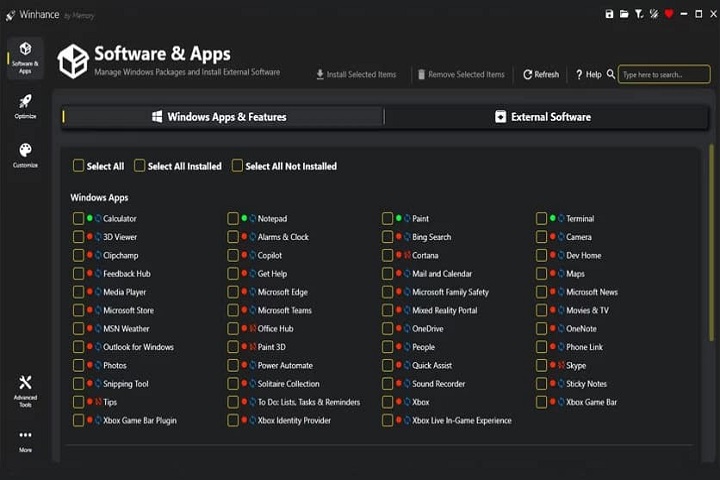
Winhance works by providing structured access to Windows features that are often hidden deep within system settings, group policies, or background services.
User Interface
The interface is minimalistic and intuitive. Each optimization category is clearly labeled, allowing users to understand what a specific tweak does before applying it. This transparency reduces the risk of accidental misconfiguration.
Optimization Engine
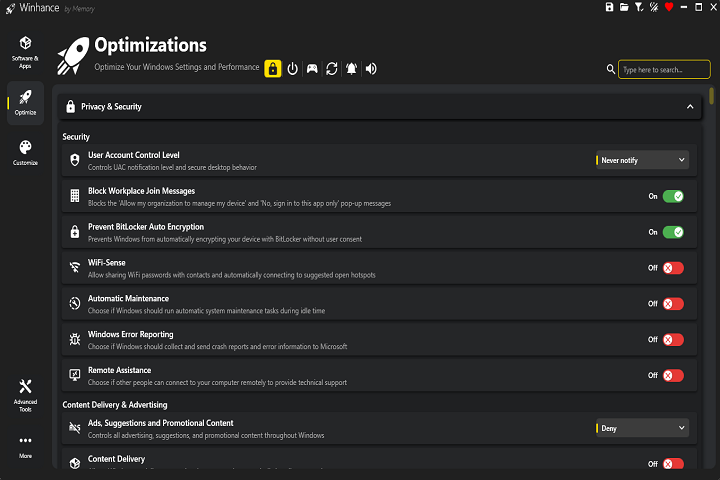
Winhance applies system-level changes that affect startup behavior, background services, privacy settings, and user interface elements.
Privacy Controls
One of Winhance’s standout aspects is its focus on privacy. The software allows users to limit telemetry, disable data collection features, and reduce background communication with external services, helping users regain control over their system data.
Reversible Tweaks
This makes Winhance a safer alternative to manual registry tweaks or aggressive debloating scripts.
Key Features
Windows Debloating
Winhance allows users to remove or disable unnecessary preinstalled apps and services that consume system resources. This results in a cleaner Windows installation with fewer background processes.
Performance Optimization
By adjusting startup programs, background services, and system behaviors, Winhance helps improve boot times and overall system responsiveness.
Privacy Enhancement
Users can disable telemetry, tracking services, and data-sharing features, significantly improving system privacy without breaking essential Windows functionality.
Startup Management
The software provides easy control over startup applications, allowing users to prevent unwanted programs from launching automatically.
Safe & Reversible Changes
All applied optimizations are designed to be reversible, ensuring system stability and user confidence.
Lightweight & Fast
Winhance is a small utility that consumes minimal system resources, making it suitable even for older or low-spec PCs.
How to Install
Installing Winhance on a Windows PC is quick and straightforward:
-
Check System Requirements
Ensure your PC meets the minimum requirements listed below. -
Run the Application
Winhance is typically a portable application. Simply double-click the executable file to launch it. -
Grant Permissions
Since Winhance modifies system settings, administrator privileges are required. Allow the program to run with elevated permissions. -
Apply Desired Tweaks
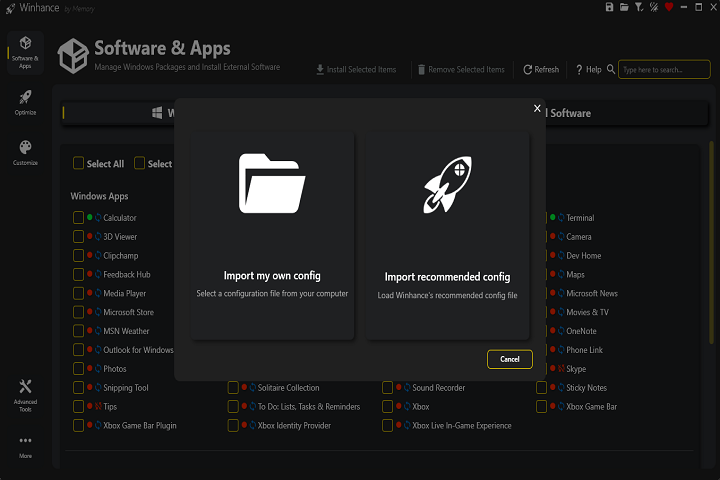
Browse through the categories and enable or disable features based on your preferences.
System Requirements
Minimum System Requirements
-
Operating System: Windows 10 (64-bit) or Windows 11
-
Processor: Intel Core i3 or equivalent
-
RAM: 4 GB minimum
-
Storage: Less than 100 MB free disk space
-
Permissions: Administrator access required