Introduction
Fast Video Cutter Joiner 7.0.1 PC Software is a lightweight yet efficient video editing utility designed for users who need quick video cutting and joining without complex editing tools. Developed by XiXiao Technology, this software focuses on speed, simplicity, and lossless processing, making it ideal for beginners, content creators, educators, and professionals who want fast results.
Unlike full-scale video editors that require advanced skills and powerful hardware, Fast Video Cutter Joiner provides an intuitive approach to trimming and merging video files. Version 7.0.1 brings improved stability, enhanced format support, and better performance on modern Windows systems, ensuring smooth video processing with minimal system load.

Overview
Fast Video Cutter Joiner is designed specifically for basic video editing tasks such as cutting unwanted sections from videos and joining multiple clips into a single file. It eliminates unnecessary complexity and allows users to complete tasks in just a few steps.
The software supports a wide range of popular video formats, including MP4, AVI, MKV, MOV, WMV, and more. One of its main advantages is lossless video processing, meaning users can cut and join videos without re-encoding, preserving original quality and speeding up the editing process.
Fast Video Cutter Joiner 7.0.1 is suitable for:
-
Quick video trimming for social media
-
Joining recorded clips into one video
-
Removing ads or unwanted scenes
-
Preparing videos for presentations or sharing
Description
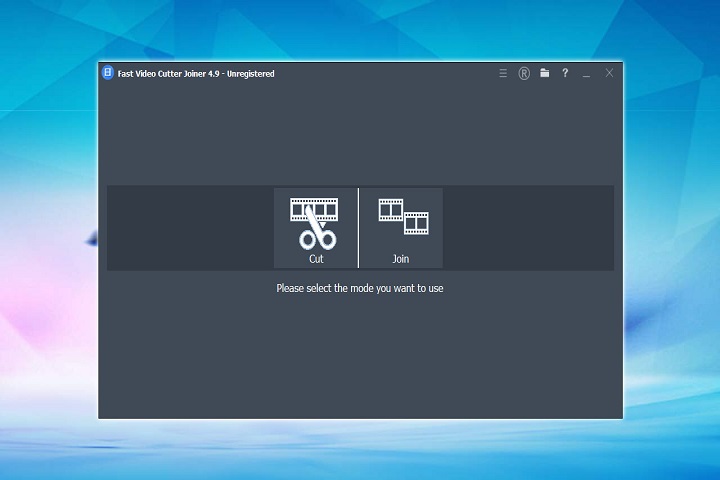
Fast Video Cutter Joiner works as a two-in-one video utility that combines cutting and joining features in a single application. Its straightforward interface ensures that even users with no prior editing experience can operate it easily.
User Interface
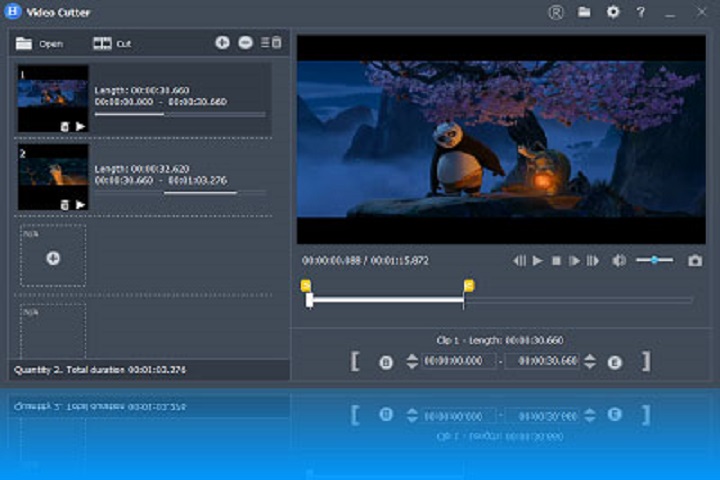
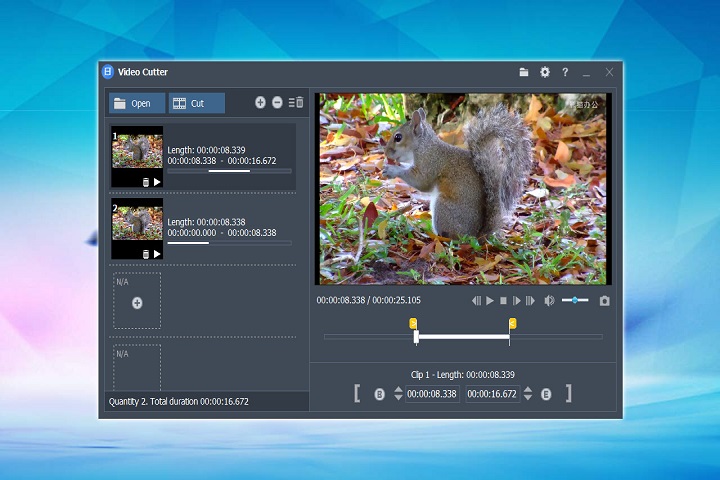
The interface is clean and minimal, with clearly labeled buttons and timelines. Users can load video files, set start and end points visually, and preview results before exporting. This simplicity reduces learning time and increases productivity.
Video Cutting Module
The cutting feature allows users to remove unwanted parts of a video with frame-level precision. Users can specify exact start and end times, ensuring accurate trimming without quality loss.
Video Joining Module
The joining function lets users combine multiple video files into one continuous clip. Videos can be arranged in the desired order before merging, making it useful for creating compilations or continuous recordings.
Processing Engine
Fast Video Cutter Joiner uses an optimized processing engine that enables fast operations while maintaining original audio and video quality. When possible, it avoids re-encoding, saving both time and system resources.
Key Features
Lossless Video Cutting
The software cuts videos without re-encoding, ensuring no quality degradation and extremely fast processing speeds.
Video Joining Without Quality Loss
Users can merge multiple video clips into a single file while maintaining the original resolution, bitrate, and audio quality.
Wide Format Support
Fast Video Cutter Joiner supports many popular video formats, including MP4, AVI, MKV, MOV, FLV, WMV, and more.
Fast Processing Speed
Optimized algorithms allow videos to be processed quickly, even on lower-end systems.
Easy-to-Use Interface
The simple layout and intuitive controls make the software accessible for beginners and non-technical users.
Preview Before Export
Built-in preview functionality allows users to review cuts and joins before saving the final video.
Audio Preservation
Original audio tracks are preserved during cutting and joining, ensuring consistent sound quality.
Lightweight Application
The software has a small footprint and does not require high-end hardware to operate smoothly.
How to Install
Installing Fast Video Cutter Joiner on a Windows PC is quick and straightforward:
-
Check System Requirements
Verify that your PC meets the minimum system requirements listed below. -
Run the Setup File
Double-click the installer file and run it as an administrator. -
Follow Installation Instructions
Accept the license agreement and choose the desired installation directory. -
Complete Installation
Finish the installation process and allow the program to create desktop or Start Menu shortcuts. -
Launch the Software
Open Fast Video Cutter Joiner and start editing your video files immediately.
System Requirements
Minimum System Requirements
-
Operating System: Windows 7 / 8 / 10 / 11 (32-bit or 64-bit)
-
Processor: Intel or AMD 1 GHz or faster
-
RAM: 2 GB minimum
-
Storage: 100 MB free disk space
-
Graphics: Standard display adapter