Introduction
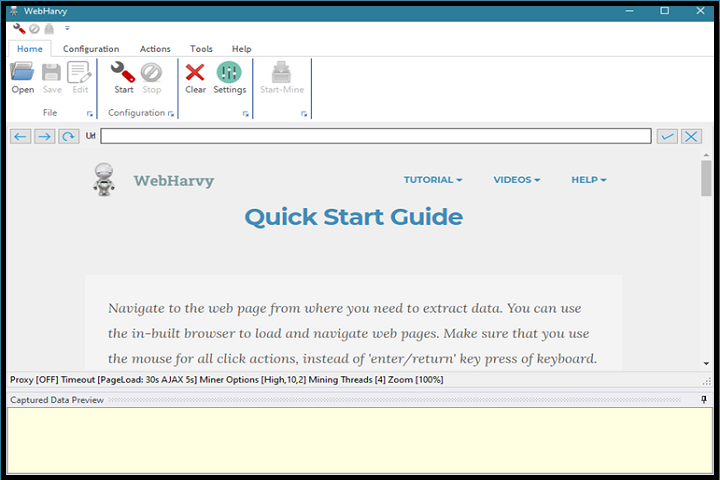
WebHarvy 7.11.0.248 PC Software by SysNucleus Technologies is a powerful visual web scraping tool designed to automatically extract data from websites without requiring programming skills. As online data becomes increasingly valuable for businesses, researchers, marketers, and analysts, WebHarvy provides an intuitive solution to capture and structure web content efficiently.
Unlike traditional scraping tools that require extensive coding knowledge, WebHarvy uses a point-and-click interface, allowing users to select data elements visually. Version 7.11.0.248 enhances data extraction accuracy, supports modern websites, and provides advanced automation features, making it an essential tool for businesses, e-commerce professionals, data analysts, and researchers who rely on accurate and structured web data. 
Overview
WebHarvy is designed to simplify web scraping, making it accessible for users with varying technical expertise. It allows extraction of text, images, URLs, tables, and other structured data from websites with minimal configuration. The software also supports automated navigation through multiple pages, handling dynamic content and pagination.
Key highlights of version 7.11.0.248 include:
-
Enhanced compatibility with dynamic websites using AJAX and JavaScript
-
Point-and-click data selection without coding
-
Automated pagination and data extraction from multiple pages
-
Export data to formats like Excel, CSV, XML, or SQL
-
Scheduler for automated scraping tasks
This version is particularly beneficial for businesses looking to gather market intelligence, monitor competitors, extract product information, or collect research data from online sources efficiently.
Description
WebHarvy 7.11.0.248 is a visual web scraping software that eliminates the need for manual data collection from websites. Its intuitive interface and automation capabilities reduce time and errors while providing structured outputs that are ready for analysis.
Visual Point-and-Click Interface
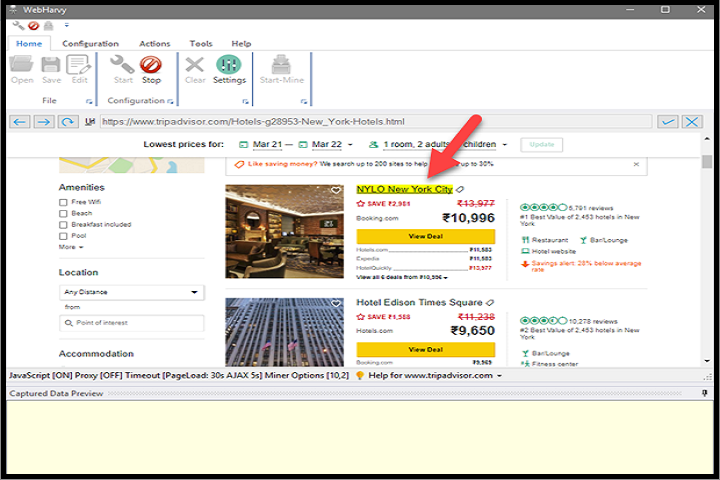
WebHarvy uses a visual approach to identify data patterns on web pages. Users can simply click on the data fields they want to extract, and the software automatically detects similar items across pages. This eliminates the need for writing complex scraping scripts.
Automatic Pattern Detection
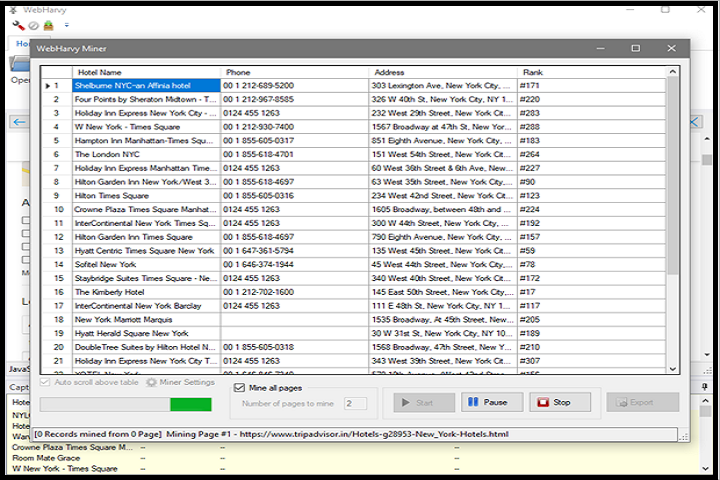
The software automatically identifies repeating data patterns such as product listings, tables, image galleries, or news articles. Users can preview extracted data before saving to ensure accuracy and completeness.
Multi-Page Scraping
WebHarvy can automatically navigate through multiple web pages, handling pagination and dynamic content. This allows users to scrape entire catalogs, search results, or blog posts without manual intervention.
Data Export Options
Extracted data can be exported in multiple formats including:
-
Excel (XLS, XLSX)
-
CSV (Comma-Separated Values)
-
XML (Extensible Markup Language)
-
SQL (for database insertion)
These export options ensure compatibility with data analysis tools, databases, or reporting platforms.
Automation and Scheduling
WebHarvy includes a built-in scheduler to run scraping tasks automatically at specified intervals. This is ideal for businesses or researchers who require regularly updated data without manual intervention.
Image and Media Extraction
In addition to text, WebHarvy can download images, videos, and other media files from websites. Extracted media files can be stored locally and organized automatically.
Advanced Configuration Options
For more advanced users, WebHarvy provides options to handle complex websites, including custom scripts, proxy support, CAPTCHA handling, and HTTP headers customization.
Key Features
Point-and-Click Data Extraction
Easily select and scrape text, images, URLs, and tables from websites without programming.
Automatic Pattern Detection
Detects repeating data structures and ensures consistent extraction.
Multi-Page Scraping
Supports automated navigation through multiple pages and handles dynamic content.
Export to Multiple Formats
Export scraped data to Excel, CSV, XML, or SQL for analysis or database storage.
Scheduler and Automation
Set up automated scraping tasks to run at specific intervals without manual intervention.
Image and Media Download
Download and organize images, videos, and other media files from websites.
Proxy and CAPTCHA Support
Supports advanced configurations to access websites with access restrictions.
Custom Scripts and Advanced Features
Provides advanced users with options for handling complex websites and dynamic content.
User-Friendly Interface
Visual interface makes it accessible for beginners while retaining advanced capabilities for professionals.
High Performance
Optimized for fast scraping of large websites with minimal system resource usage.
How to Install
Installing WebHarvy is simple and straightforward:
-
Verify System Requirements
Ensure your PC meets the minimum system requirements for smooth performance. -
Run the Installer
Double-click the setup file and run it with administrator privileges. -
Select Installation Options
Choose the installation directory and optional shortcuts. -
Complete Installation
Follow the on-screen instructions until installation is complete. -
Launch WebHarvy
Open the software and perform initial configuration such as selecting default export formats. -
Activate License
Enter the license key to unlock full functionality, or use the trial mode for evaluation.
System Requirements
Minimum System Requirements
-
Operating System: Windows 7 / 8 / 10 / 11
-
Processor: Intel or AMD 1 GHz or higher
-
RAM: 2 GB minimum
-
Storage: 500 MB free disk space
-
Display: 1024×768 resolution
-
Internet: Required for web scraping