Introduction
Net Monitor for Employees Pro 6.5.3 PC Software is a professional monitoring tool designed to help managers and administrators track employee activity on Windows-based computers. Developed by EduIQ, this software is widely used in offices, call centers, educational institutions, and remote work environments to increase productivity, ensure compliance, and manage IT resources effectively.
In today’s modern workplace, balancing productivity, privacy, and accountability can be challenging. Net Monitor for Employees Pro provides organizations with a secure, centralized solution to monitor, supervise, and manage multiple computers from a single administrative console. Version 6.5.3 includes advanced monitoring capabilities, improved performance, and enhanced security features, making it a reliable tool for both small and large organizations.

Overview
Net Monitor for Employees Pro is designed to monitor employee activity in real time, offering a centralized view of all connected computers on the network. It allows supervisors to view live screens, send messages, restrict internet access, and analyze productivity data without interrupting employees’ workflow.
Key highlights of version 6.5.3 include:
-
Real-time screen monitoring of employee computers
-
Remote control and administration capabilities
-
Alerts for inappropriate or unauthorized activities
-
Centralized management for multiple workstations
-
Secure and encrypted connections to protect sensitive data
This version is ideal for organizations aiming to maintain productivity, enforce IT policies, and ensure compliance with internal regulations.
Description
Net Monitor for Employees Pro 6.5.3 is a comprehensive employee monitoring software that combines live tracking, reporting, and administrative tools into a single platform. It is designed to give managers full visibility over workplace computer usage, ensuring that employees remain focused and productive.
User Interface
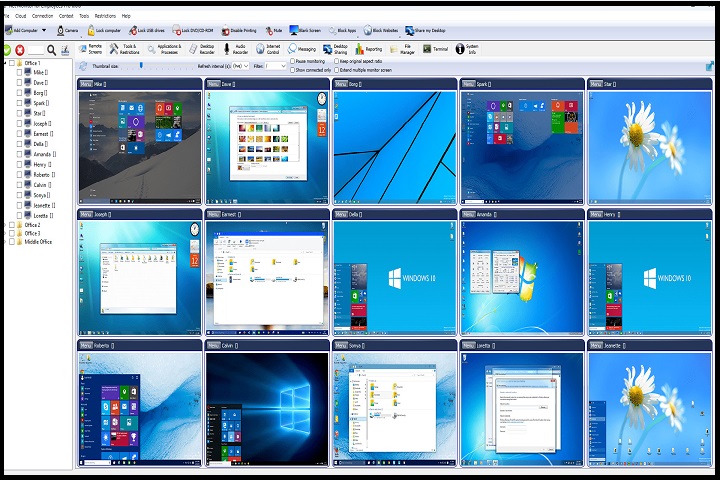
The software features a clean and intuitive interface that allows supervisors to quickly connect to and monitor multiple PCs simultaneously. A tree-view layout organizes all client machines, while live thumbnails or full-screen views provide an immediate overview of ongoing activity.
Real-Time Monitoring
Administrators can monitor live screens of employees in real time. This allows instant awareness of work progress, detection of distractions, and identification of potential security issues. Live monitoring can include screen thumbnails, full-screen views, or selected window monitoring.
Remote Control and Management
Net Monitor for Employees Pro enables remote control of client computers. Administrators can perform actions such as shutting down, restarting, sending messages, or controlling applications. This feature helps IT teams manage workstations efficiently without physically visiting each machine.
Productivity Analysis and Reporting
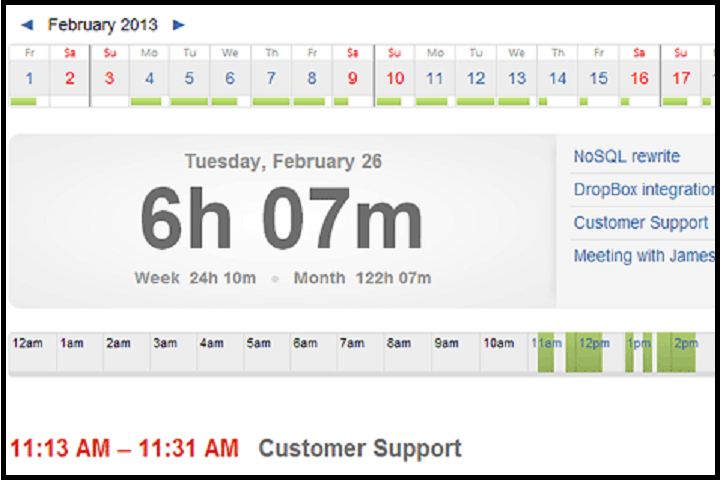
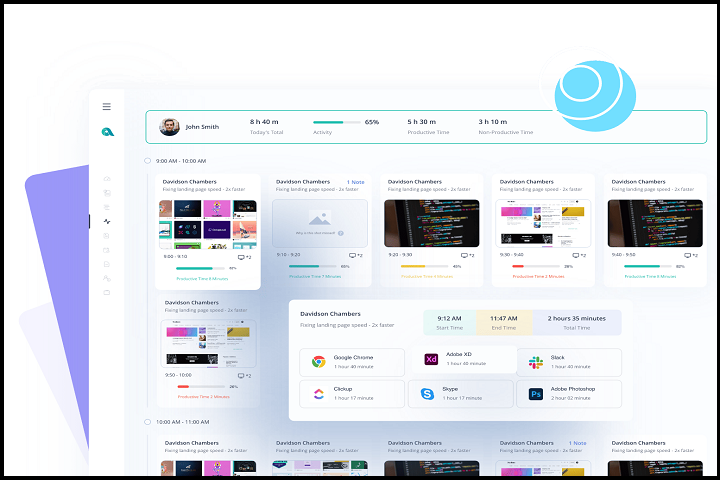
The software tracks application usage, websites visited, and idle time to generate detailed productivity reports. These reports help managers understand employee work habits, optimize workflows, and make informed decisions regarding resource allocation.
Security and Alerts
The program provides alerts for suspicious or unauthorized activities, such as access to restricted websites, usage of prohibited applications, or attempts to bypass monitoring. Encrypted connections ensure that monitoring data is secure and protected from interception.
Remote Messaging and Interaction
Administrators can communicate directly with employees using pop-up messages or notifications. This feature allows supervisors to provide instant guidance, share instructions, or address non-compliant activities in real time.
Deployment and Scalability
Net Monitor for Employees Pro is suitable for small offices with a few computers as well as large enterprises with hundreds of workstations. Its network-friendly design allows for easy deployment, central management, and scalability.
Key Features
Real-Time Screen Monitoring
View live screens of all connected employee computers from a single console.
Remote Control
Perform remote operations such as shutdown, restart, application blocking, and mouse/keyboard control.
Productivity Reports
Track application usage, internet activity, and idle time to measure employee productivity.
Alerts and Notifications
Receive alerts for inappropriate activities, unauthorized software, or restricted websites.
Remote Messaging
Send messages and instructions to employees instantly.
Centralized Management
Manage multiple client computers from a single administrative console efficiently.
Encrypted Connections
Secure all monitoring data with encryption to ensure privacy and security.
Application and Website Blocking
Restrict access to specific websites or applications to maintain productivity.
User-Friendly Interface
Organized dashboard and tree-view layout for easy navigation and management.
Scalable Deployment
Suitable for small offices and large enterprises with hundreds of client machines.
How to Install
Installing Net Monitor for Employees Pro requires following these steps:
-
Check System Requirements
Verify that the PC meets the minimum specifications for both the server (admin) and client machines. -
Run the Installer
Double-click the installer file and run it with administrator privileges. -
Select Installation Type
Choose whether to install the software as a server (administrator) or client (employee workstation). -
Configure Network Settings
Enter the necessary network details to ensure client machines can communicate with the server. -
Complete Installation
Follow the on-screen instructions to finish the installation on all required machines. -
Launch the Software
Open the admin console to connect to client computers and configure monitoring options. -
Activate License
Enter your license key to unlock full functionality, or use the trial mode for evaluation.
System Requirements
Minimum System Requirements
-
Operating System: Windows 7 / 8 / 10 / 11
-
Processor: Intel or AMD 1 GHz or higher
-
RAM: 2 GB minimum
-
Storage: 200 MB free disk space
-
Network: LAN or Internet connection for client-server communication
-
Display: 1024×768 resolution