Introduction
Adobe DNG Converter 18.2 PC Software is a powerful tool developed by Adobe that allows photographers and digital artists to convert raw image files from various cameras into the standardized Digital Negative (DNG) format. With raw formats differing between camera manufacturers, DNG offers a universal format that ensures long-term accessibility, consistency, and compatibility with Adobe software and other imaging applications.
Adobe DNG Converter 18.2 simplifies workflow for photographers, graphic designers, and imaging professionals by providing a reliable, free, and fast solution to standardize raw images. By converting raw files into DNG, users can preserve image quality while maintaining compatibility across different platforms, software, and future-proof storage.
Overview
Adobe DNG Converter 18.2 is designed to efficiently convert raw images from multiple camera manufacturers into a single, standardized format. This ensures that images can be opened, edited, and archived without concerns about proprietary raw formats becoming obsolete or incompatible with future software versions.
Key highlights of version 18.2 include:
-
Support for the latest camera models and raw formats
-
Batch processing of multiple images for efficiency
-
Compatibility with Windows 10, 11, and macOS (for cross-platform users)
-
Preservation of metadata, color profiles, and high dynamic range data
-
Seamless integration with Adobe Lightroom and Photoshop
This version is especially useful for professional photographers, studios, and digital imaging workflows where maintaining image quality and long-term access is critical.
Description
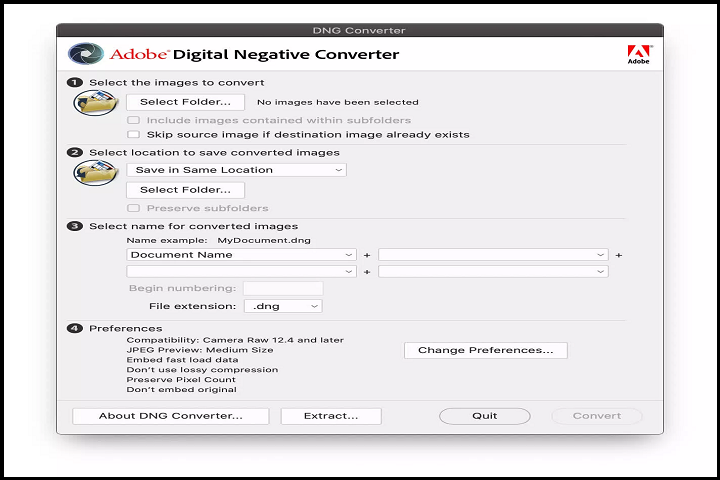
Adobe DNG Converter 18.2 is a specialized raw image conversion software that allows photographers to standardize files into the DNG format without losing quality. Unlike other image converters, DNG preserves original metadata, camera profiles, and color depth, ensuring professional-grade results.
Supported Camera Models
Adobe continuously updates DNG Converter to include raw formats from the latest camera releases. Popular supported manufacturers include:
-
Canon (CR2, CR3)
-
Nikon (NEF)
-
Sony (ARW)
-
Fujifilm (RAF)
-
Panasonic (RW2)
-
Olympus (ORF)
-
Leica (DNG, RWL)
This ensures that photographers using diverse cameras can consolidate their raw files into one universal format.
Batch Processing
Adobe DNG Converter allows users to convert hundreds of images simultaneously, saving time for professional workflows. Users can select multiple folders, configure output preferences, and let the software process files efficiently.
Customizable Settings
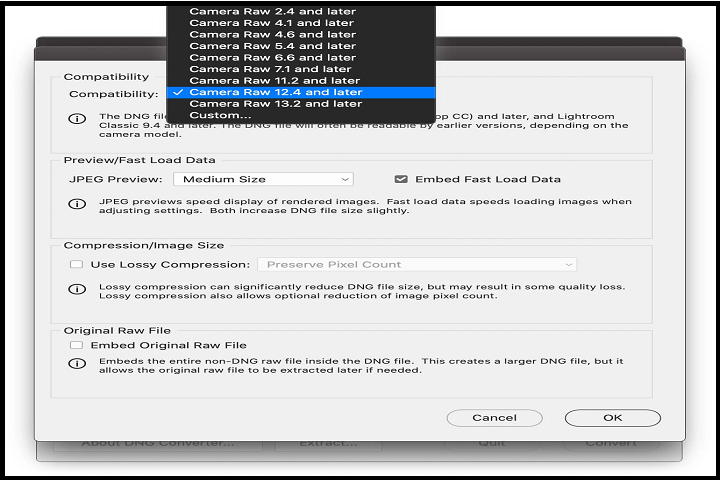
Users can configure options such as:
-
Compression: Lossless or uncompressed DNG files
-
Embed Original Raw Files: Store original raw data within the DNG for archival purposes
-
Compatibility: Specify DNG version compatibility for older software
-
Metadata Handling: Preserve EXIF, IPTC, and camera-specific metadata
These options allow photographers to tailor conversions according to workflow requirements, balancing file size and compatibility.
Integration with Adobe Software
DNG files generated by Adobe DNG Converter 18.2 are fully compatible with Adobe Lightroom, Photoshop, and Camera Raw, allowing seamless editing, adjustments, and enhancements without concerns about proprietary formats.
Archival and Longevity
DNG format is widely recognized as a long-term archival solution for raw files. By converting to DNG, users reduce dependency on proprietary formats and ensure future accessibility even if camera manufacturers discontinue support for their native raw formats.
Key Features
Universal Raw Conversion
Convert raw files from multiple camera brands into a single, standardized DNG format.
Batch Processing
Process multiple images simultaneously, improving workflow efficiency.
Preserves Image Quality
Retains full resolution, color depth, and dynamic range during conversion.
Metadata Retention
Maintains EXIF, IPTC, and camera-specific metadata for professional workflows.
Customizable Output
Choose compression settings, compatibility options, and embed original raw files if desired.
Integration with Adobe Suite
Fully compatible with Adobe Lightroom, Photoshop, and Camera Raw for editing and enhancement.
Long-Term Archival
DNG ensures that raw images remain accessible and future-proof, even for older camera models.
Supports Latest Cameras
Version 18.2 supports raw files from newly released cameras, keeping workflows current.
Free and Lightweight
Adobe DNG Converter is a free tool with minimal system resource requirements.
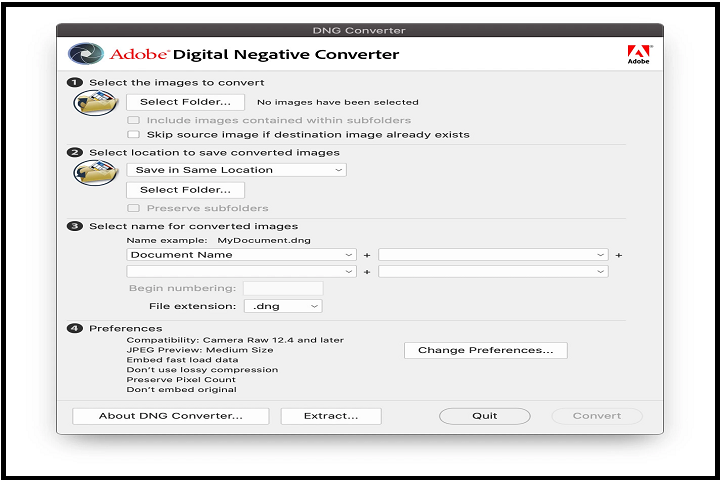
Simple User Interface
Intuitive interface allows quick setup for conversions with minimal learning curve.
How to Install
Installing Adobe DNG Converter 18.2 is simple and fast:
-
Check System Requirements
Ensure your PC meets the minimum system requirements for smooth performance. -
Run the Installer
Double-click the installer and follow the on-screen instructions. -
Select Installation Directory
Choose the folder where the software will be installed. -
Complete Installation
Wait for the setup process to finish, then click “Finish” to exit the installer. -
Launch the Software
Open Adobe DNG Converter 18.2 and configure conversion settings for your images.
System Requirements
Minimum System Requirements
-
Operating System: Windows 10 / 11 (64-bit)
-
Processor: Intel Core i3 or equivalent AMD
-
RAM: 2 GB minimum
-
Storage: 500 MB free disk space
-
Display: 1024×768 resolution
-
Other: Internet connection recommended for camera updates