Introduction
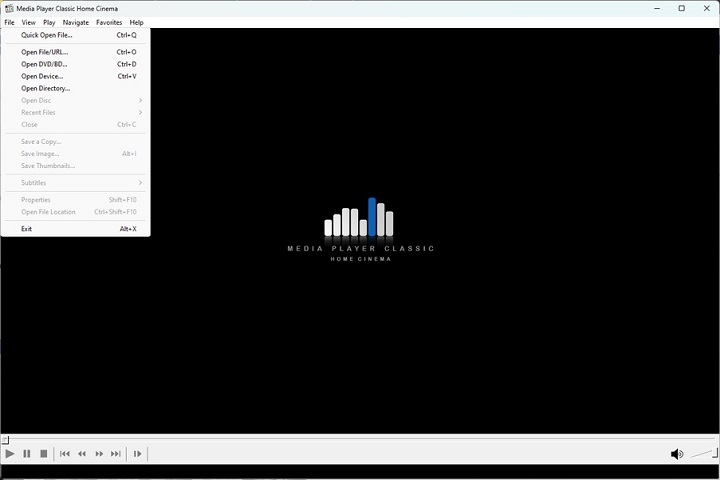
Media Player Classic Home Cinema 2.6.0 PC Software is an essential part of any Windows PC, especially for users who regularly watch movies, TV shows, or online videos.is a lightweight yet powerful open-source media player for PC that offers excellent performance, broad format compatibility, and a familiar interface inspired by classic Windows media players.
Unlike many modern media players that consume heavy system resources or display intrusive ads, MPC-HC focuses on speed, simplicity, and stability. It supports a wide range of video and audio formats while maintaining a minimal footprint. With its clean design and advanced playback features, Media Player Classic – Home Cinema remains a popular choice among casual users, professionals, and enthusiasts alike.

Overview
Media Player Classic – Home Cinema 2.6.0 is a free multimedia player for Windows designed to deliver smooth and reliable playback across various media formats. Originally developed as a lightweight alternative to bulky media players, MPC-HC has evolved into a mature and feature-rich application.
The software supports modern codecs, high-definition video playback, subtitles, and hardware acceleration. It is especially well-suited for older PCs or low-resource systems, as well as advanced users who want full control over playback behavior. Despite its simplicity, MPC-HC offers advanced customization options and professional-grade playback capabilities.
Description
Media Player Classic – Home Cinema 2.6.0 is built with performance and compatibility in mind. The software uses built-in codecs, eliminating the need to install external codec packs. This ensures reliable playback without conflicts or additional system configuration.
The player supports a wide range of video formats, including MP4, MKV, AVI, MOV, FLV, and many others. Audio formats such as MP3, AAC, FLAC, WAV, and OGG are also fully supported. High-resolution content, including Full HD and 4K videos, can be played smoothly when used with hardware acceleration.
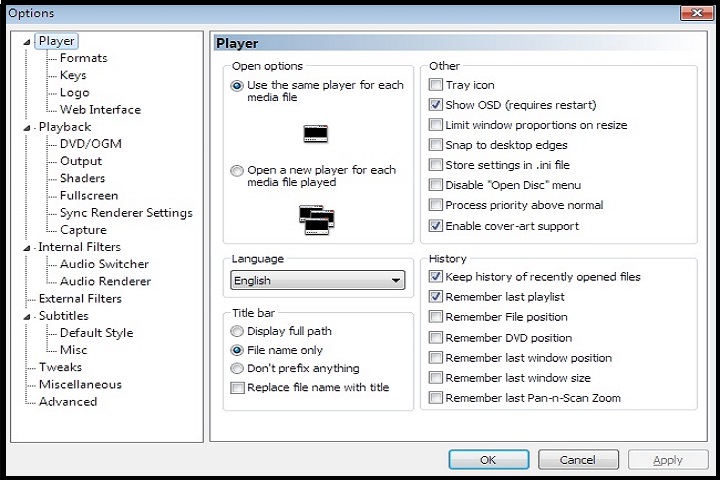
MPC-HC features an advanced subtitle engine, allowing users to load, sync, and customize subtitles easily. Playback controls are highly configurable, making it suitable for both keyboard and remote control usage. The software also includes screenshot capture, playback speed control, and video frame stepping for detailed viewing.
Key Features
Media Player Classic – Home Cinema 2.6.0 offers a wide range of practical features:
-
Wide Format Support – Plays almost all common video and audio formats.
-
Built-In Codecs – No need for external codec packs.
-
Lightweight & Fast – Minimal system resource usage.
-
Hardware Acceleration – Supports GPU-accelerated video decoding.
-
High-Resolution Playback – Smooth Full HD and 4K video support.
-
Advanced Subtitle Support – Load, sync, and customize subtitles easily.
-
Customizable Interface – Keyboard shortcuts and layout options.
-
Screenshot & Frame Capture – Capture frames during playback.
-
Playback Speed Control – Adjust speed for learning or review purposes.
-
Open-Source Software – Free, transparent, and community-driven development.
How To Install
Installing MPC-HC on a Windows PC is quick and straightforward:
-
Download the Media Player Classic – Home Cinema 2.6.0 installer for Windows.
-
Double-click the installer file to begin setup.
-
Accept the license agreement and choose installation preferences.
-
Select file associations if desired.
-
Click Install and wait for the process to complete.
-
Launch MPC-HC from the desktop shortcut or Start Menu.
Once installed, the player is ready to use immediately without additional configuration.
System Requirements
Media Player Classic – Home Cinema 2.6.0 is designed to run efficiently on a wide range of systems.
Minimum System Requirements
-
Operating System: Windows 7, 8, 10, or 11
-
Processor: Intel or AMD 1 GHz or higher
-
RAM: 1 GB
-
Storage: 50 MB free disk space
-
Graphics: DirectX-compatible GPU