Introduction
SolidCAM 2025 SP4 HF1 for SolidWorks PC Software is a powerful computer-aided manufacturing (CAM) solution designed specifically to integrate with the SolidWorks CAD environment. It allows engineers, machinists, and manufacturers to seamlessly move from product design to CNC machining within the same interface.
In modern manufacturing, efficiency and accuracy are crucial. Companies require tools that allow them to create precise toolpaths, simulate machining operations, and optimize production workflows. SolidCAM 2025 SP4 HF1 addresses these needs by combining advanced machining strategies, high-speed toolpath technology, and complete integration with SolidWorks.
This version introduces improvements in iMachining performance, multi-axis machining capabilities, and simulation accuracy, making it an essential tool for CNC programmers and production engineers who need reliable and efficient CAM software.
Overview
SolidCAM 2025 SP4 HF1 is an advanced CAM platform built for CNC milling, turning, and multi-axis machining operations. Unlike standalone CAM solutions, SolidCAM runs directly inside SolidWorks, providing a unified environment for design and manufacturing.
Key highlights of this version include:
-
Seamless integration with the SolidWorks interface
-
Advanced iMachining technology for optimized toolpaths
-
Support for 2.5D, 3D, and multi-axis CNC machining
-
High-speed machining algorithms
-
Accurate simulation and collision detection
The software enables manufacturers to generate CNC programs quickly while ensuring optimal cutting conditions and machine safety. With its intuitive interface and powerful automation tools, SolidCAM helps reduce machining time, increase tool life, and improve overall production efficiency.
Description
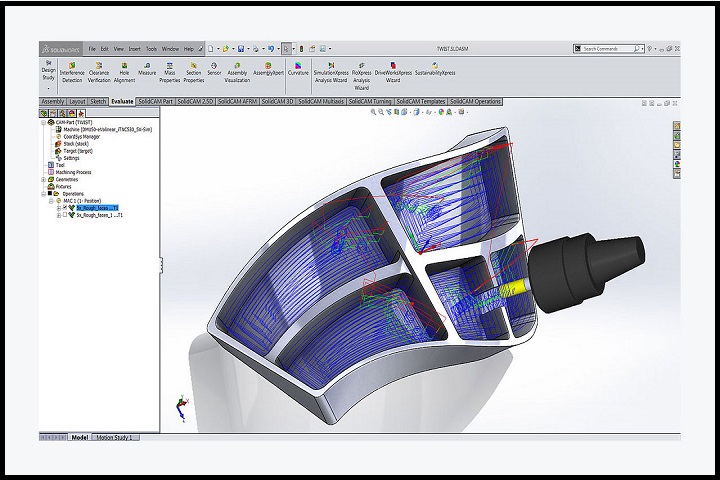
SolidCAM 2025 SP4 HF1 is designed to simplify the transition from CAD models to CNC machining programs. By operating directly within the SolidWorks environment, users can access all CAM features without leaving their design workspace.
Integrated CAD/CAM Workflow
One of the most significant advantages of SolidCAM is its seamless CAD integration. Engineers can design parts in SolidWorks and immediately generate toolpaths using SolidCAM without converting files or switching applications. Any changes made to the CAD model are automatically reflected in the CAM program.
iMachining Technology
SolidCAM’s proprietary iMachining technology optimizes cutting conditions automatically. It calculates the most efficient toolpaths and cutting parameters based on material type, tool geometry, and machine capabilities. This technology significantly reduces machining time while maintaining precision and tool longevity.
Advanced CNC Programming
The software supports a wide range of CNC machining operations including:
-
2.5D Milling
-
3D High-Speed Machining
-
Multi-axis machining (4-axis and 5-axis)
-
CNC Turning
-
Mill-turn operations
These capabilities make SolidCAM suitable for complex manufacturing tasks such as aerospace components, automotive parts, and precision engineering projects.
Simulation and Verification
SolidCAM includes powerful simulation tools that allow users to visualize the machining process before sending the program to the CNC machine. This reduces the risk of errors and collisions while ensuring optimal machining performance.
Automation and Productivity
With automation features like technology databases, templates, and automated toolpath generation, SolidCAM speeds up the programming process and ensures consistent machining results.
Key Features
Seamless Integration with SolidWorks
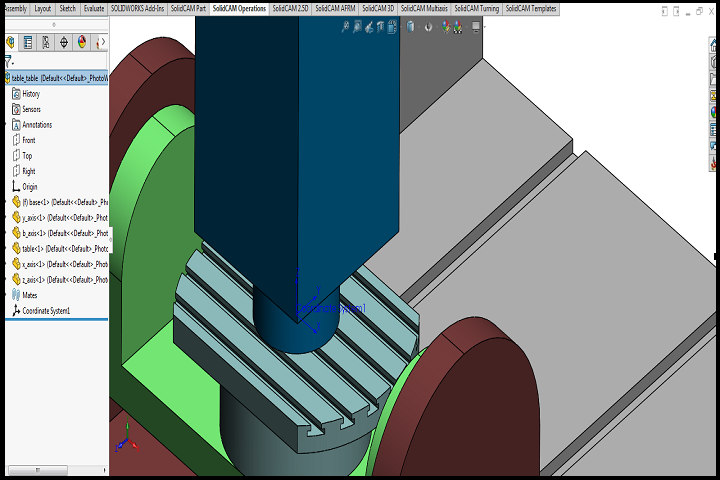
SolidCAM runs directly inside the SolidWorks interface, allowing users to move from design to manufacturing without switching software.
iMachining Technology
Intelligent toolpath generation optimizes cutting conditions, reduces machining time, and increases tool life.
Multi-Axis Machining Support
Supports 4-axis and 5-axis CNC machining, enabling the production of complex geometries and advanced components.
High-Speed Machining
Advanced algorithms enable efficient machining operations with improved accuracy and reduced cycle times.
CNC Turning and Mill-Turn
SolidCAM supports turning operations and combined mill-turn processes for versatile machining workflows.
Advanced Simulation
Built-in simulation tools help visualize machining operations and detect potential errors before production.
Toolpath Optimization
Smart algorithms automatically calculate optimal cutting parameters for different materials and tools.
Automation Tools
Templates, technology databases, and automation tools simplify repetitive tasks and speed up programming.
Collision Detection
Ensures safe machining by detecting potential collisions between tools, workpieces, and machine components.
Post-Processor Customization
Supports custom post-processors for generating CNC code compatible with various machine controllers.
How to Install
Installing SolidCAM requires an existing installation of SolidWorks. Follow these steps to complete the setup:
-
Install SolidWorks
Ensure that SolidWorks is already installed and functioning correctly on your PC. -
Run the SolidCAM Setup
Launch the installer and run it with administrator privileges. -
Select Integration Options
During installation, choose the SolidWorks version you want SolidCAM to integrate with. -
Configure Installation Settings
Select the installation directory and choose required modules such as milling, turning, or multi-axis machining. -
Complete Installation
Follow the on-screen instructions until the setup process finishes. -
Activate License
Enter the license key or connect to a license server to activate SolidCAM. -
Launch SolidWorks
After installation, open SolidWorks and access SolidCAM from the integrated CAM toolbar.
System Requirements
Minimum System Requirements
-
Operating System: Windows 10 / 11 (64-bit)
-
Processor: Intel Core i5 or AMD equivalent
-
RAM: 8 GB
-
Storage: 10 GB free disk space
-
Graphics Card: DirectX-compatible GPU
-
Software: SolidWorks 2022 or later