Introduction
priPrinter Professional / Server 7.0.0.2616 PC Software is a powerful printing utility designed to enhance the Windows printing experience. Developed by priPrinter, this software combines advanced print preview, editing, and server management features into a single platform. It is widely used by professionals, organizations, and businesses that require precise control over printing tasks, document layout, and server-based print management.
In modern office environments, printing inefficiencies, document misalignment, and excessive paper usage can lead to time and resource wastage. priPrinter Professional / Server addresses these challenges by allowing users to preview, edit, and manage print jobs before sending them to a printer. Version 7.0.0.2616 introduces improved print preview accuracy, enhanced server capabilities, and better performance with large print jobs.

Overview
priPrinter Professional / Server is a comprehensive print management solution that provides users with a virtual print environment. Its primary objective is to allow users to preview, edit, and optimize print jobs before sending them to a physical printer.
Key highlights include:
-
Virtual print preview for all Windows applications
-
Advanced editing tools for page layout, margins, and scaling
-
Printing automation for businesses with multiple users
-
Server functionality to manage and control print jobs across networks
-
Cost reduction through paper and ink optimization
priPrinter is ideal for small to large businesses, print shops, and any organization that requires efficient, precise, and controlled printing. Its server edition supports centralized print management, making it suitable for multi-user environments.
Description
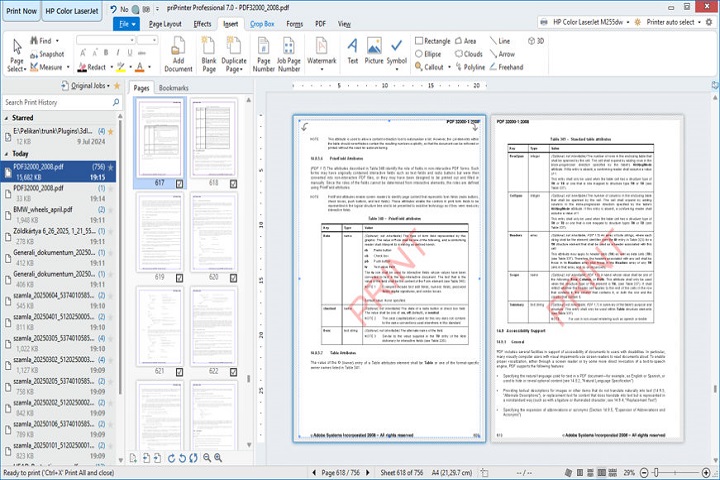
priPrinter Professional / Server 7.0.0.2616 functions as both a print utility and print management platform, offering flexibility for individual users and organizations alike. By acting as a virtual printer, it enables users to inspect, modify, and control print output before committing resources.
User Interface
The software features a modern and intuitive interface with a virtual print window that displays the output exactly as it will appear on paper. Users can adjust page layout, apply scaling, preview multi-page documents, and rotate or rearrange pages as needed.
Print Preview and Editing
priPrinter allows users to preview documents from any Windows application. Users can edit headers, footers, watermarks, and page numbers, as well as adjust margins and scaling to ensure documents print perfectly the first time.
Server Capabilities
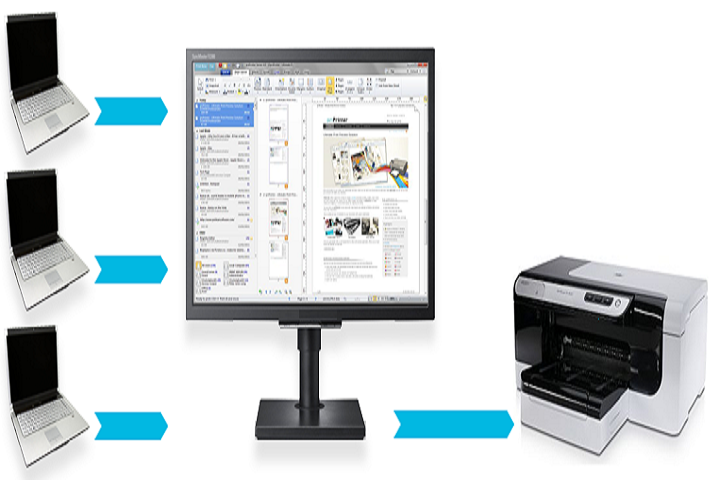
The Server edition provides centralized print management for organizations. Administrators can monitor print queues, control user access, and manage multiple print jobs efficiently. This reduces errors, prevents duplicate printing, and optimizes resource usage.
Document Optimization
The software includes features for optimizing print jobs, including reducing paper usage, merging multiple pages onto a single sheet, and adjusting print quality. Users can also convert print jobs to PDF for digital distribution.
Compatibility
priPrinter integrates seamlessly with all Windows applications. Whether printing from Word, Excel, PDF readers, or web browsers, users can preview and modify documents without switching software.
Key Features
Advanced Print Preview
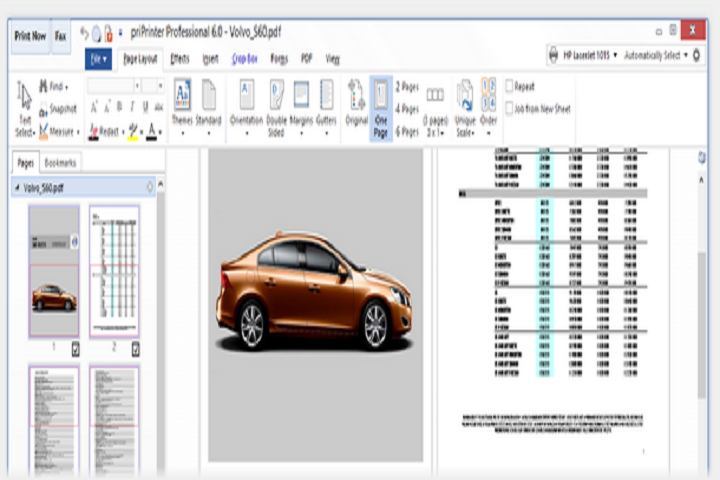
Preview documents exactly as they will print, including fonts, margins, and layout, to reduce errors and waste.
Editing and Annotation Tools
Add headers, footers, watermarks, page numbers, and annotations before printing. Adjust margins, scaling, and page order.
Page Layout and Scaling
Modify document layout with features like crop, rotate, merge pages, and scale documents to fit specific paper sizes.
Paper and Cost Optimization
Merge multiple pages on one sheet, reduce blank areas, and adjust print quality to save paper and ink.
Server Edition for Multi-User Environments
Manage print jobs for multiple users, control access, and monitor print queues for improved workflow efficiency.
PDF and File Conversion
Convert print jobs to PDF, BMP, or other digital formats for electronic distribution and archiving.
Virtual Printer Integration
Works as a virtual printer in Windows, allowing users to preview and edit print jobs from any application.
Job Management and Reporting
Track completed print jobs, generate reports, and monitor resource usage to improve office productivity.
Customizable Interface
Adjust toolbars, menus, and workspace layout for streamlined workflow and personalized preferences.
Compatibility
Supports all standard Windows applications and printers, ensuring broad usability in any office or professional environment.
How to Install
Installing priPrinter Professional / Server is simple and straightforward:
-
Check System Requirements
Ensure your system meets the minimum specifications to run the software efficiently. -
Run the Installer
Launch the setup executable and follow on-screen instructions. -
Select Installation Options
Choose between Professional or Server edition, select installation directory, and configure optional components. -
Complete Installation
Click “Install” and wait for the process to complete. -
Launch the Software
Open priPrinter and configure initial settings such as default printer preferences and virtual printer settings. -
Activate License
Enter the license key to unlock full functionality for either Professional or Server edition.
System Requirements
Minimum System Requirements
-
Operating System: Windows 7 / 8 / 10 / 11 (32-bit or 64-bit)
-
Processor: Intel or AMD 1 GHz or higher
-
RAM: 2 GB minimum
-
Storage: 150 MB free disk space
-
Display: 1024×768 minimum resolution
-
Network: Required for Server edition