Introduction
1.1.1.1 WARP VPN by Cloudflare 2025.10.186.0 PC Software Online privacy and internet security have become essential concerns for modern PC users. From unsecured public Wi-Fi networks to data tracking and throttling by internet service providers, users face multiple risks while browsing the web. To address these challenges, Cloudflare developed 1.1.1.1 WARP VPN, a fast, secure, and privacy-focused VPN solution designed to improve both security and internet performance.
1.1.1.1 WARP VPN by Cloudflare 2025.10.186.0 PC Software brings Cloudflare’s trusted network infrastructure directly to Windows PCs. Unlike traditional VPNs that often slow down internet speed, WARP is built to encrypt traffic while optimizing routing, resulting in a safer and often faster browsing experience.

Overview
1.1.1.1 WARP VPN 2025.10.186.0 is a lightweight VPN and DNS security application for Windows. It combines Cloudflare’s public DNS service (1.1.1.1) with the WARP protocol, which encrypts internet traffic and routes it through Cloudflare’s global network.
Unlike conventional VPNs that focus mainly on location spoofing, WARP prioritizes privacy, speed, and security. It protects users from eavesdropping, insecure networks, and ISP tracking while maintaining low latency and high performance. The application is especially popular among users who want basic VPN protection without complex configuration or performance loss.
With the 2025 release, Cloudflare has improved connection stability, performance optimizations, and compatibility with Windows 10 and Windows 11 systems.
Description
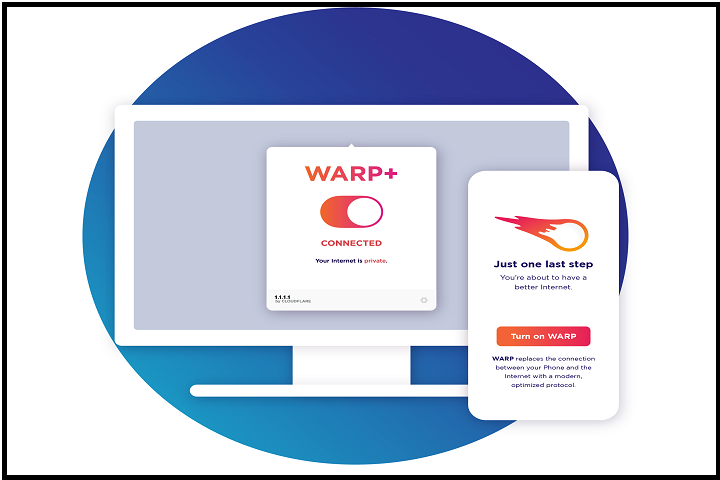
1.1.1.1 WARP VPN by Cloudflare is designed to make internet security simple and accessible. Once enabled, WARP encrypts all outgoing internet traffic from your PC, protecting it from hackers, malicious actors, and intrusive tracking. This is especially useful when using public Wi-Fi networks in cafes, airports, or shared environments.
The software uses WireGuard-based technology, customized by Cloudflare for speed and efficiency. Instead of routing traffic through distant VPN servers, WARP intelligently selects optimized routes across Cloudflare’s massive global network. This often results in faster page loading and reduced latency compared to traditional VPNs.
Another key aspect of WARP is its privacy-first policy. Cloudflare has publicly committed to not logging user browsing activity and to regularly auditing its systems. The app is easy to use, featuring a simple on/off switch that requires no technical knowledge.
While WARP does not focus on unblocking geo-restricted content like some VPNs, it excels at providing everyday security, DNS protection, and encrypted browsing for Windows PC users.
Key Features
1. Secure VPN Encryption
Encrypts all internet traffic to protect data from hackers and network snooping.
2. Cloudflare 1.1.1.1 DNS
Uses one of the fastest and most privacy-focused DNS resolvers in the world.
3. High-Speed Performance
Optimized routing through Cloudflare’s global network ensures minimal speed loss.
4. One-Click Activation
Simple interface with a single toggle to enable or disable protection.
5. Public Wi-Fi Protection
Secures your connection on untrusted or open Wi-Fi networks.
6. No Activity Logging
Cloudflare follows a strict no-logs privacy policy.
7. Lightweight Application
Consumes minimal system resources and runs smoothly in the background.
8. Automatic Network Optimization
Selects the fastest available routes for better browsing performance.
9. Windows 10 & 11 Support
Fully compatible with modern Windows operating systems.
10. Regular Updates
Frequent updates improve security, performance, and reliability.
How To Install
Installing 1.1.1.1 WARP VPN on a Windows PC is quick and easy:
-
Double-click the downloaded setup file to begin installation.
-
Follow the on-screen instructions and accept the license agreement.
-
Choose the default installation location or customize if needed.
-
Complete the installation process.
-
Launch the application from the Start Menu or desktop shortcut.
-
Click the WARP toggle button to enable VPN protection.
Once activated, the software runs in the background and automatically secures your internet connection.
System Requirements
To run 1.1.1.1 WARP VPN by Cloudflare 2025.10.186.0 PC Software smoothly, your system should meet the following requirements:
Minimum Requirements
-
Operating System: Windows 10 or Windows 11 (64-bit)
-
Processor: Intel or AMD compatible processor
-
RAM: 2 GB (4 GB recommended)
-
Storage: 200 MB free disk space
-
Internet Connection: Required for VPN functionality
-
Display: 1024×768 resolution or higher