Introduction
Microsoft .NET Desktop Runtime 10.0.2 PC Software, Modern Windows applications rely heavily on frameworks that provide essential libraries, performance optimization, and secure execution environments. One of the most important of these frameworks is Microsoft’s .NET platform. Microsoft .NET Desktop Runtime 10.0.2 PC Software is a crucial component that allows users to run desktop applications built using the latest .NET technologies on Windows computers.
Many popular Windows programs cannot function properly without the correct .NET runtime installed. The .NET Desktop Runtime ensures compatibility, stability, and performance, making it an essential installation for both everyday users and professional environments.

Overview
Microsoft .NET Desktop Runtime 10.0.2 is a free runtime environment developed by Microsoft that enables Windows PCs to run applications built with .NET 10 desktop technologies, including Windows Forms and Windows Presentation Foundation (WPF). Unlike the .NET SDK, which is intended for developers, the Desktop Runtime is designed for end users who simply need to run .NET-based applications.
This runtime package is lightweight, efficient, and optimized for modern Windows operating systems. It is commonly required by business software, utilities, system tools, and third-party desktop applications.
Description
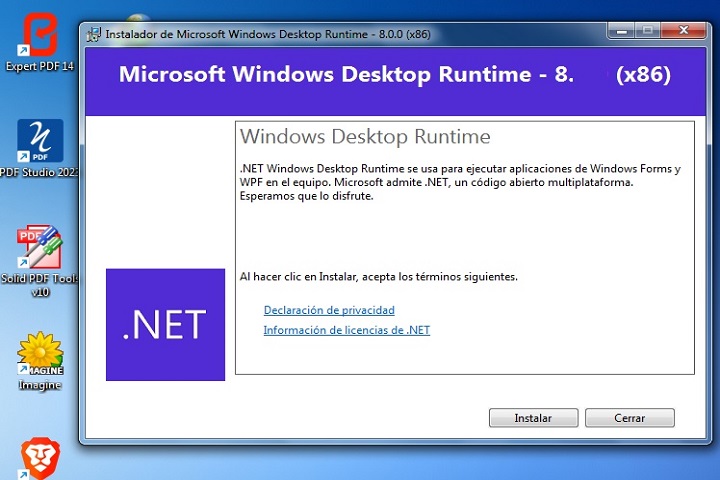
Microsoft .NET Desktop Runtime 10.0.2 PC Software acts as the backbone for many Windows desktop applications. It includes the essential runtime libraries, components, and services required to execute .NET desktop apps smoothly and securely.
The runtime ensures consistent behavior across different systems by providing a standardized execution environment. It improves application performance through optimized memory management, faster startup times, and better hardware utilization. Additionally, it includes important security updates that protect applications from vulnerabilities.
.NET Desktop Runtime 10.0.2 supports both 32-bit (x86) and 64-bit (x64) architectures, ensuring compatibility with a wide range of Windows PCs. The installation process is simple, and once installed, users can run supported applications without additional configuration.
Key Features
1. Required for .NET Desktop Apps
Allows Windows applications built with .NET to run properly.
2. Windows Forms & WPF Support
Supports popular desktop UI frameworks used by modern Windows software.
3. Improved Performance
Optimized runtime engine for faster app startup and smoother execution.
4. Secure Execution Environment
Includes the latest security patches and runtime protections.
5. Lightweight & Efficient
Consumes minimal system resources while delivering reliable performance.
6. Automatic Compatibility
Ensures consistent app behavior across different Windows systems.
7. Free from Microsoft
Officially developed, maintained, and updated by Microsoft.
8. Easy Installation
Simple setup process with minimal user interaction required.
How To Install
Follow these steps to install the .NET Desktop Runtime on your Windows PC:
-
Run the Installer
Double-click the downloaded file and select Run as Administrator if prompted. -
Accept License Terms
Review and accept the Microsoft license agreement. -
Choose Installation Type
Select the default installation option (recommended for most users). -
Wait for Installation
The setup will install the required runtime components automatically. -
Complete Installation
Once finished, click Close to exit the installer. -
Restart (If Required)
Restart your PC if prompted to complete the installation.
After installation, any compatible .NET desktop application will run automatically without additional setup.
System Requirements
Minimum System Requirements
-
Operating System: Windows 10 / Windows 11
-
Processor: 1 GHz or faster
-
RAM: 2 GB minimum (4 GB recommended)
-
Hard Disk Space: 200 MB free space
-
Architecture: x86 (32-bit) or x64 (64-bit)
-
Internet Connection: Required for download and updates
-
Permissions: Administrator rights required